This tutorial goes through the process of setting up a custom image field for user profiles, disabling Gravatar, and replacing it with local avatars using the ACF field we created. We’ll also include a fallback image for users that don’t upload one.
Let’s face it, even though Gravatar is a really great idea, sometimes it’s not that great. First of all, it can be quite a cumbersome task getting your website users to set up a Gravatar account. Secondly, Gravatar can slow your site down. Think about it. Every time your site needs to display an avatar it needs to check whether that person has a gravatar account, and if it does it needs to grab the image from their (often quite slow) server.
What are the other options?
You can use one of the available plugins to cache your avatars. Great, more plugins with more settings *sarcasm*. These may work fine, but it seems like a lot of hassle.
Another option is to use local avatars. ‘Local’ in this case means local to your website. In other words, not using a 3rd party service for your avatars.
The Easy Solution
Simple Local Avatars is a really cool plugin from the crew at 10up. This plugin creates a custom field on your user profile that allows you to upload an image. It also gives you the option to disable Gravatar altogether.
So what’s the catch?
Actually, there isn’t one. It’s a great plugin. Sometimes you just want more control. I’m already a big fan of Advanced Custom Fields. On many occasions, i’m already using ACF to add custom fields to User Profiles.
The Custom (and still kinda easy) Solution
Recently, I’ve started to play with acf_form() to allow editing (and posting) of new content, including front end editing of user profiles. Awesome. But that’s a post to come at a later date. EDIT: It’s here! Front-end posting and editing.
1: Create a new field group with an Image field in ACF
So, to start… let’s create a new field group if you haven’t already. Then add an Image upload field in ACF and attach it to our user profiles. I’m using ACF Pro (v5) at this point. I’m not sure (probably not) if it’s possible to create custom profile fields with the free version.
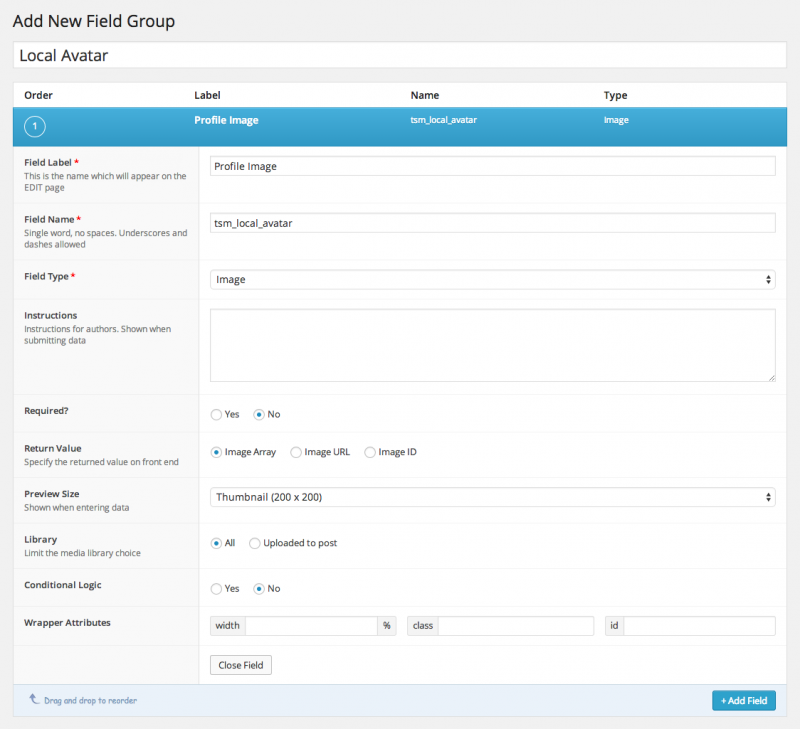
I have the field set with a return value of ‘Image Array’. This is just personal preference since I’ll be using this image in other areas of my custom theme as well.
2: Set the field group location
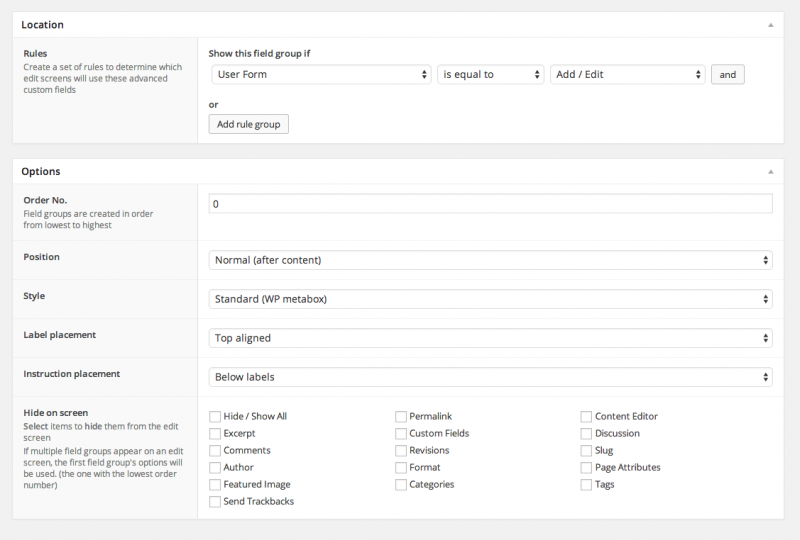
Set the field group location so our new metabox shows up on our User Profile. So, show this field group if User Form | is equal to | Add/Edit.
3: The Code
The next thing we need to do is filter get_avatar to do our magic.
The get_avatar filter is a little tricky, since it needs to get a user by id_or_email. We need to account for both, so the $user line does all of the logic for that. The $image_id line is pulling in our local avatar image. The first $avatar_url line sets our default/fallback avatar for users that don’t upload one. The ‘if’ conditional gets our avatar in a specific size, currently set to pull in the thumbnail. The ending code outputs everything.
4: Our field in action
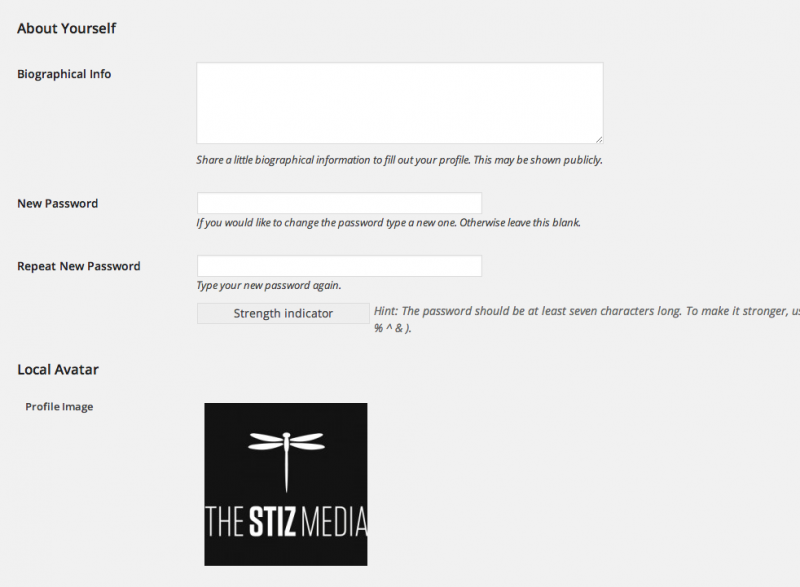
In your comments, and anywhere else avatars are used in WordPress, you will now see your local avatars including the default fallback avatar set in our get_avatar filter.
Let me know how it works for you!